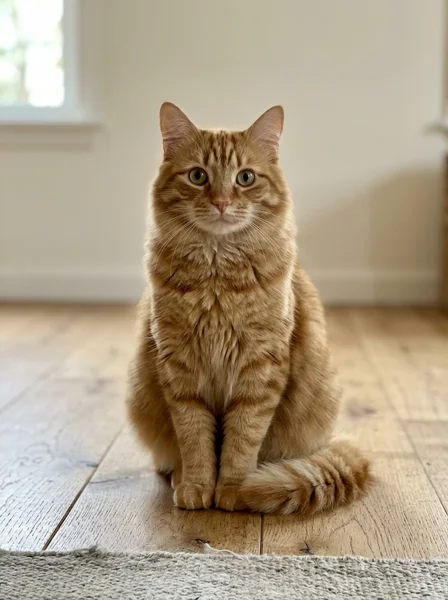
A cat takes the mic
8 seconds · Silent
An orange tabby joins a desk-side band, sings and raises a paw.
Input photos
 Wondertake
Upload your portrait to join a desk-side band. The human performance reference is included. Review the photo, reference clip, sound setting and credit cost before generating. Faces, movement and shot changes can vary.
Google sign-in required to generate.A 10-second band clip guides the performance and camera shots.
Upload your own portrait above. Review sound and references in Settings. Reference time is included in the credit quote.
Explore a playful cat concert and a four-person band, with input photos for each example. Reference videos illustrate the style; generated results vary.
8 seconds · Silent
An orange tabby joins a desk-side band, sings and raises a paw.
10 seconds · With sound
Four portraits become a lead singer, a keyboard player and two backing vocalists.


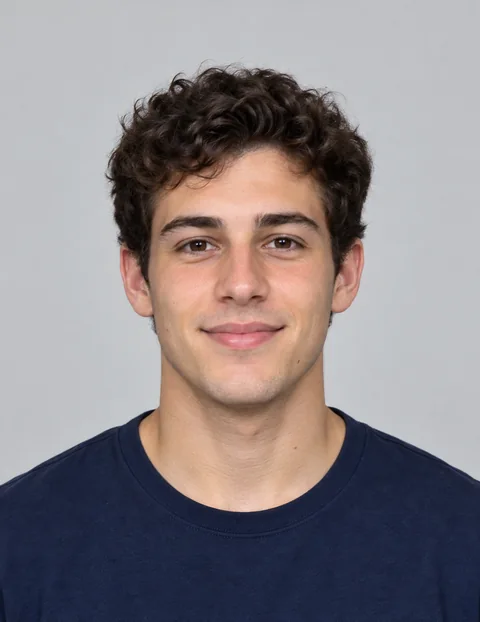
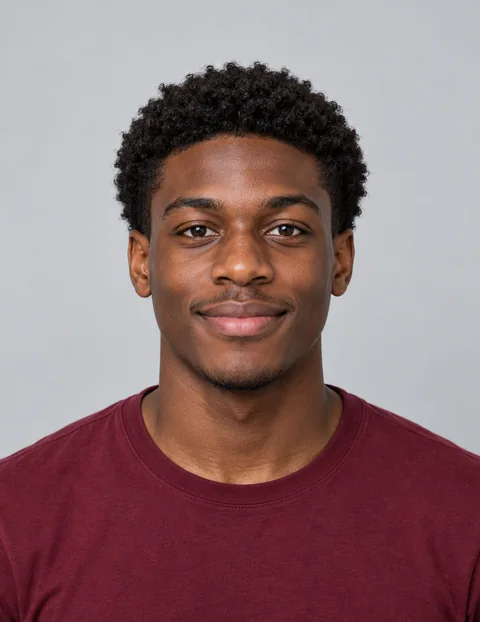
Tiny Desk AI videos put a familiar face into a close, informal concert: a desk, a microphone, shelves and a small band. This page includes a human-band reference video to guide the staging and camera shots while your portrait guides the lead singer’s appearance.
Start with one person and a short take. This is an open-ended AI scene generator, so the setting, likeness and singing may differ between results.
The search trend also includes remakes of Charlie Wilson’s “Outstanding” performance. This page creates a new desk-concert scene guided by an AI human-band reference, rather than original NPR footage. Review the reference clip and the Keep original video sound setting before generating; precise singing and shot matching are not guaranteed.
Read the photo-to-performance guide
Updated October 28, 2026
Upload a clear photo of yourself or an adult who agreed to appear. Use even light, a visible face and enough room around the shoulders. The selected template is for a human lead.
The human-band video is included as a performance reference. Preview it below your photo and edit the starting prompt. Open Settings to review duration, quality, framing and whether to keep the reference sound.
Check the credit quote and watermark condition, sign in and press Generate. Review the whole clip, then download the MP4. Returning from sign-in or payment never starts generation automatically.
These are creative starting points, not recorded video results. Copy the human-template brief into the creator to reset its instructions. Other ideas are experimental variations; the attached reference still applies.
One lead singer, a warm office, a small band. Start here for the clearest subject and simplest staging.
Use the uploaded person photo as the identity reference for the lead singer. Recreate the desk-concert staging, body movement, camera framing and shot changes from the supplied reference video. Replace only the lead singer with the person in the photo, preserving their recognizable facial features and hairstyle. Keep the keyboard player and backing singers coherent in the background. Follow the group performance and lead close-up in the reference. Keep the subject adult, the face visible and the performance natural. No captions, logos or additional performers.
Use a quieter arrangement and fewer movements. Keep the face unobstructed by the microphone.
Create an original desk-side acoustic performance with the uploaded adult as the lead singer. Preserve their appearance. A guitarist sits behind them among books and plants. Warm afternoon window light, a gentle camera push-in, relaxed shoulders and subtle singing movement. Generate an original wordless acoustic melody. No existing song, copied voice, logos or text.
Try a playful pet scene. Expect a stylized performance rather than human-level mouth synchronization.
Create a playful fictional desk-concert scene with the cat in the uploaded photo as the star. Preserve its coat markings and recognizable face. The cat sits on a wooden desk beside a small microphone, gently bobs its head and blinks. A small instrumental band plays behind it among plants and books. Generate an original upbeat instrumental groove. One steady medium shot, warm light. No existing song, human teeth, logos or text.
Preparing your photo and prompt does not spend generation credits. Generating requires Google sign-in and sufficient credits. Your quote changes with resolution, duration and any video references.
The default is a 10-second vertical video at 720p with a roughly 10-second video reference. Both output and reference video time contribute to the credit quote. Review the cost and watermark condition for your account before generating. Compare credit packs and subscriptions.
One face, one continuous shot and a short original melody give the model a clear brief. Extra performers, fast cuts and precise lyrics add complexity. Check faces, hands, instruments, sound and mouth movement before sharing.
This uses the existing Kling 4.0 reference workspace. No separate song upload or exact lip-sync control is offered on this page.
People use AI to put themselves, friends or pets into intimate desk-concert scenes. Some versions refer to Charlie Wilson’s performance of Outstanding. This page uses your portrait and an included human-band reference to guide a newly generated video. It does not guarantee exact identity, movement, singing or shot matching.
Upload a clear photo of yourself or an adult who agreed to appear. A 10-second human-band video is added as the performance reference. The starting prompt uses your photo for the lead singer and the video for staging and movement. Edit it, choose the duration, quality and framing in Settings, then review the current credit cost. Sign in with Google and press Generate. Watch the full result before downloading the MP4.
The human template includes a video reference. Keep original video sound is enabled in a new draft and can be changed in Settings. With photos and no video reference, Kling 4.0 generates native audio automatically. Sound, vocals and lip movement are generated and may not match your instructions precisely. With video references, the Keep original sound setting applies to the supplied footage. This page does not offer a separate song upload, voice cloning or exact lip-sync control.
The included human-band clip guides the setting, movements and shot changes. It is an AI reference example rather than original NPR footage. Keep original video sound controls reference audio; exact song synchronization and voice matching are not guaranteed. Use music you have permission to use.
Reading this page and preparing a draft do not spend generation credits. Generation requires Google sign-in and sufficient credits. The live quote shows the cost and watermark condition for your selected settings and account. Credit packs and subscriptions are available on the pricing page; this page does not promise a free Tiny Desk generation.
Start with one JPG, PNG or WebP image up to 10 MB, with sides at least 300 pixels and an aspect ratio between 0.4 and 2.5. Settings also supports additional references within the displayed model limits. This page starts at 10 seconds, 720p and vertical 9:16. Supported outputs are 3–30 seconds, 720p or 1080p, with selectable framing. Credits update when you change settings.
No exact match is guaranteed. Faces, hands, instruments, camera motion, singing and mouth shapes can change. Begin with one clearly visible subject and simple movement. Review the entire result; the tool does not promise face-swap accuracy, a specific song or a particular artist’s performance.
The workspace saves photos, prompt and settings in this browser on this device, separately from the Kling 4.0 page. Saved files remain subject to browser storage availability and account ownership. Return to review the restored draft; sign-in and payment never start a video automatically. Keep local copies of your photos and downloaded videos.
No. Wondertake is an independent AI creation tool and is not affiliated with or endorsed by NPR, Tiny Desk Concerts, Charlie Wilson or any artist. Tiny Desk is used here to describe the search topic. Use photos you have permission to use and label AI-generated videos when sharing.
Google sign-in and sufficient credits required. Results vary.