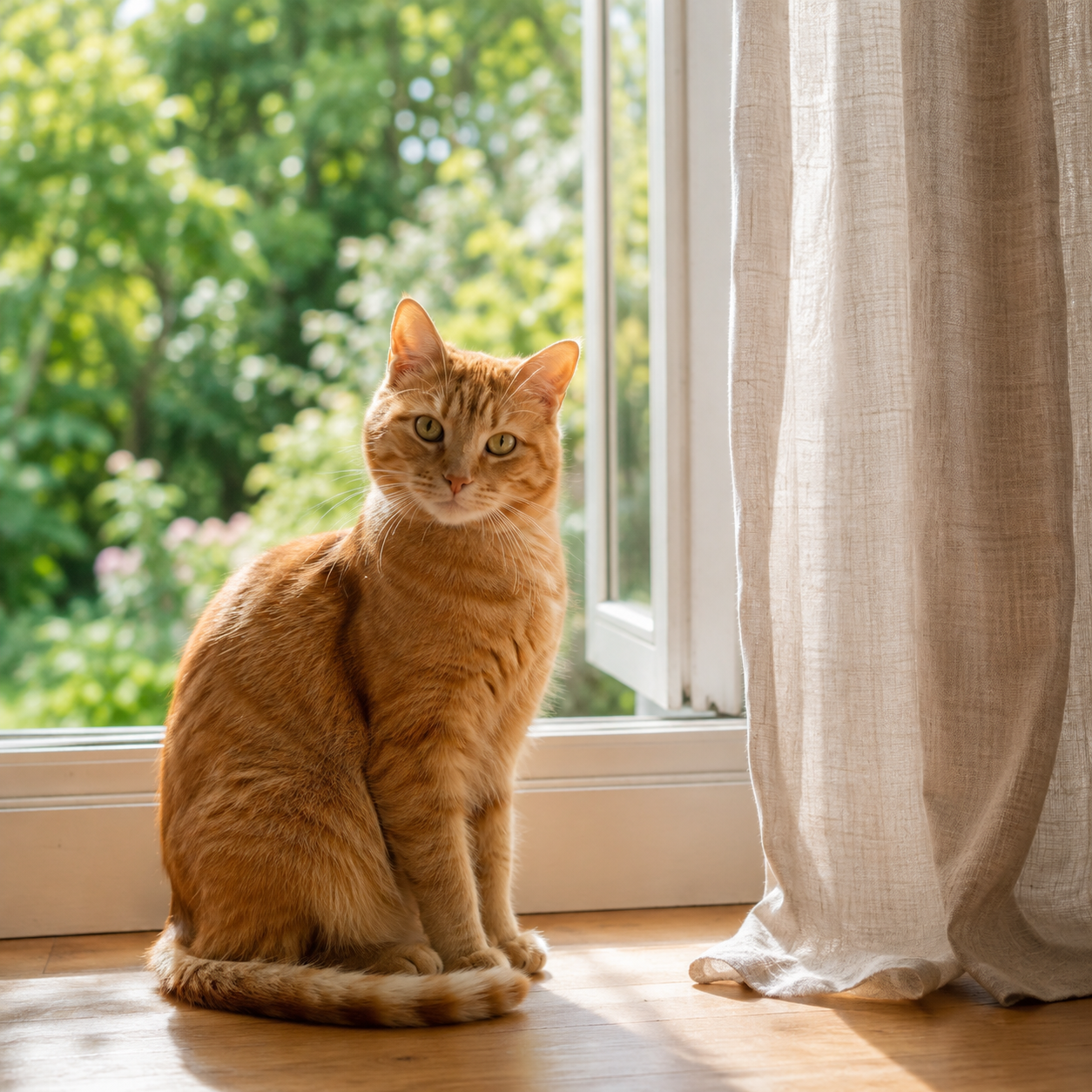
A sitting cat suits a small head bob and shoulder sway. For stepping, show all four paws and leave space around the body. You never need to make your cat stand or dance for a photo.
The example tabby is a useful starting point for Seated groove. Its seated pose gives the model less information for upright leg movements. A full-body standing photo is a better starting point for a shuffle.
These are source-photo and prompt ideas, not finished video previews. Choose a direction below, edit it for your cat and review the generated result.
Three ways to start the dance
Start small, then add movement. Each direction is editable; selecting it keeps your photo and settings.
Seated groove
For a sitting cat. Small head bobs and a gentle shoulder sway.
Read and use this motion prompt
Motion prompt
Animate the single cat in the uploaded photo with a gentle seated dance. Keep the cat seated in its original place. Add small rhythmic head bobs and a soft side-to-side shoulder sway, with one subtle tail flick. Preserve the cat’s fur colors, markings, face and visible paws. Keep the original background and a steady camera. One continuous shot. No new animals, extra limbs, clothing, text or scene cuts.
Add your own image, then review and Generate.
Paw-step shuffle
For visible legs and paws. A small alternating step in place.
Read and use this motion prompt
Motion prompt
Animate the single cat in the uploaded photo doing a playful four-paw shuffle in place. Keep the body low and feline rather than turning it into a human. Alternate small front-paw taps with a gentle shoulder bounce; keep the rear paws close to their starting position. Preserve the cat’s face, fur pattern, proportions and tail. Use a static full-body camera and the original background. One continuous shot, no extra limbs, new animals, costumes, text or cuts.
Add your own image, then review and Generate.
Upright disco
An experimental full-body routine. Expect more changes to the pose.
Read and use this motion prompt
Motion prompt
Create a playful fictional dance with the single cat from the uploaded photo. The cat briefly rises onto its hind legs, makes a small side-to-side disco step and alternates gentle front-paw swings. Keep its recognizable face, coat colors, markings and tail. Maintain a centered full-body view with space around the paws, a locked camera and the original setting. Keep the motion simple and continuous. No extra legs, human hands, new animals, text or cuts.
Add your own image, then review and Generate.
How to make a cat dancing AI video
01
Sign in and choose your cat photo
Sign in with Google before uploading. Keep the eyes, coat pattern and paws visible. Avoid a second animal, strong blur or a crop that cuts through the legs. Your photo sets the starting composition.
02
Pick one small movement
Try Seated groove for a sitting cat or Paw-step shuffle for a full-body photo. Upright disco is more experimental. Edit the text rather than asking for several different tricks at once.
03
Review, generate and watch
Check the credit quote and press Generate. Compare the cat’s face, paws, tail and markings throughout the result. Download the MP4 and add music in your editor if you want sound.
Check the quote before the first take.
A new draft starts at 5 seconds. Choose 5 or 10 seconds with Kling 2.6’s standard output setting. The current quote and your account determine the credit cost and watermark condition.
Preparing a photo or editing a prompt does not spend generation credits. Generating requires Google sign-in and a sufficient balance; signup credits do not guarantee a free clip on this template. Compare credit packs and subscriptions.
Keep the cat recognizable
AI can change fur patterns, paws and body shape. Check the beginning, middle and end, not just a good-looking first frame. If the body distorts, try a smaller seated sway before another upright routine.
This is a photo-and-prompt workflow, not a reference-video dance transfer. Output is silent; exact choreography and synchronization to a song are not offered here.
Updated November 17, 2026
AI cat dancing questions
How do I make an AI cat dancing video from my photo?
Sign in with Google, then upload one clear cat photo, choose a dance prompt and adjust it to match the pose. Review 5- or 10-second settings, the live credit quote and your account’s watermark condition, then press Generate. Selecting a prompt or returning from sign-in never starts generation automatically.
Which cat photo and dance should I choose?
For a seated photo, start with Seated groove. Use Paw-step shuffle when the body, legs and paws are visible with room around them. Upright disco asks for a larger pose change and is more likely to alter the body. Choose one cat in even light and avoid cropped paws, overlapping animals and strong blur.
Are the photo and motion prompts generated video examples?
No. The tabby image is an example source photo, and the three prompts are editable creative directions. They are not finished dance videos or verified output previews. Your completed generation is the result to review before downloading or sharing.
Is this AI cat dance video generator free?
Viewing the page and preparing a draft do not spend generation credits. Generating requires Google sign-in and sufficient credits for the selected model and settings. Eligible signup credits do not guarantee a free generation on this template. Check the live quote and pricing before generating.
Does the cat dancing video include music or match a dance video?
This page uses Kling 2.6 with one starting photo and a text prompt. Output is silent, and the template does not accept a dance reference video or offer exact choreography or music synchronization. Add music afterward in your editor or publishing app.
What image files and video settings are supported?
Upload one JPG, PNG or WebP up to 10 MB, with both sides at least 256 pixels. Start at 5 seconds or choose 10 seconds, using the existing Kling 2.6 standard output setting. Framing follows the uploaded image; there is no separate aspect-ratio control here.
Will the generated cat keep its exact appearance?
Exact likeness is not guaranteed. Fur markings, eyes, paws, tails and body proportions can change, especially during an upright dance. Compare the beginning, middle and end with your photo. If the pose distorts, try smaller seated movements before a more complex routine.
Can I change a dance prompt without losing my cat photo?
Yes. Choosing a dance changes the motion prompt while keeping the photo and output settings. Custom edits show as Custom motion. Signed-in work uses a separate browser draft from Dog Dancing and the main generator. Browser storage and account changes can affect restoration. Sign in before preparing your photo, keep the original file and review the draft after returning from payment.
 Wonder